 TrapSpotter FleetFleet
For businesses with people on the road
Your team on the road. Your paperwork in order.
Fines with the right driver. Mileage without the maths. Documents and receipts in one place. This is TrapSpotter Fleet.
Book a demo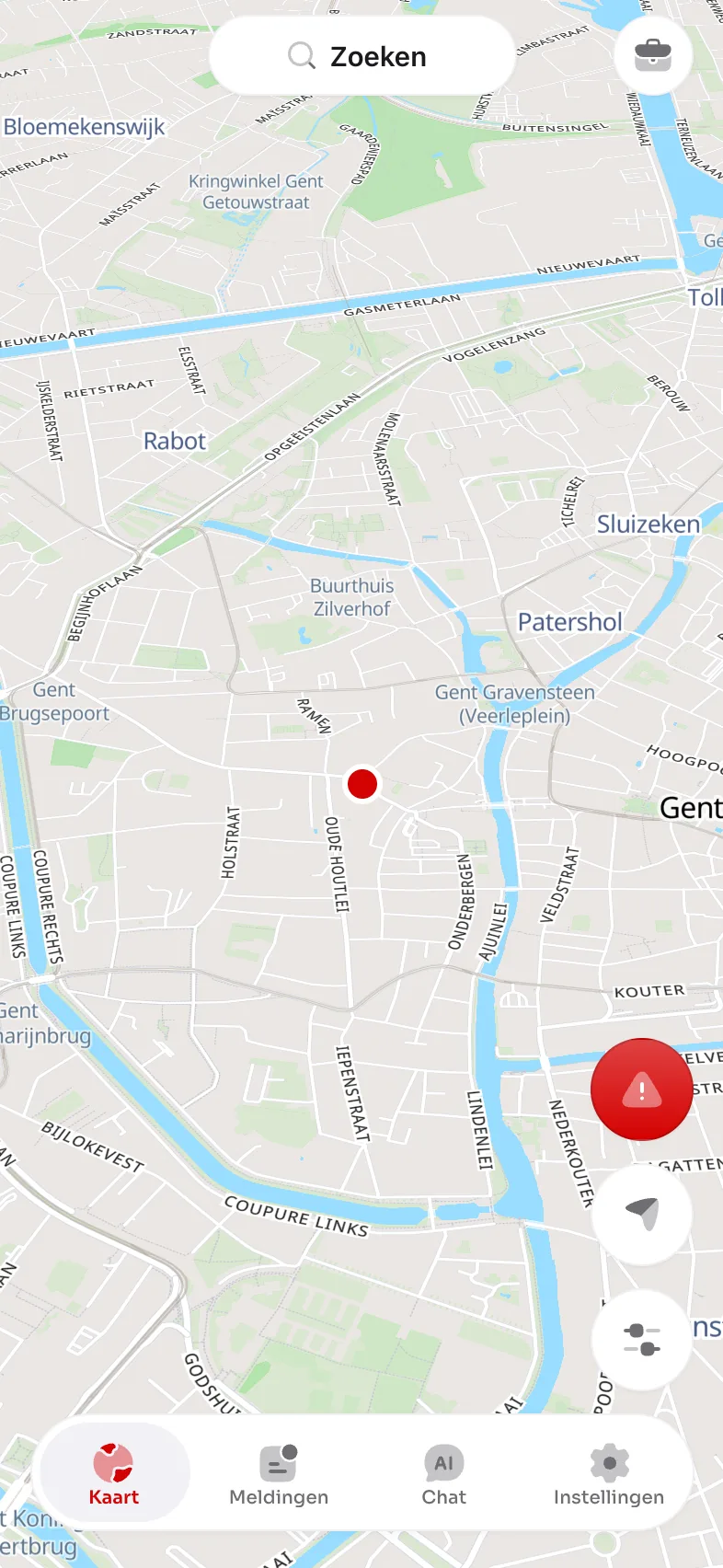 TrapSpotter FleetWhy Fleet
Less searching. More clarity.
From loose ends to clear answers.
For technicians, deliveries, home care, construction and other teams working to a schedule.
Do your staff choose their own journeys, such as sales representatives? Consider Teams: the same paperwork tools, without trip recording.
TrapSpotter FleetThe workdaySimple for the driver
Start the workday. Fleet records the trips.
No extra box in the vehicle. Your drivers use the regular TrapSpotter app, with their own account.
Work features require a compatible, up-to-date app and the necessary phone permissions. Set work hours before the first workday.
TrapSpotter FleetFinesFines · from letter to follow-up
A plate. A point in time. A driver to confirm.
When a fine arrives, find the potential driver in the workdays and trips your business already records.
Check the result: Fleet is an aid. Your company submits the driver identification using the letter or official portal. Rules vary by country; Germany supports lookup only.
TrapSpotter FleetMileage statementAn easier month-end
The mileage collected. The allowance calculated.
Give your accountant a structured overview instead of separate messages and spreadsheets from every driver.
CSV export for accounting or payroll administration. Check the data and applicable rate. Fleet is not a tax-compliant mileage log with odometer readings.
TrapSpotter FleetTrips & hoursThe work log
From today’s journey to the week’s overview.
See who drove which vehicle, the distance covered and how long each driver was on duty.
A workday is the recorded period from Start to Stop. Check the export before using it in payroll.
TrapSpotter FleetReceiptsFrom the driver to accounting
A photo of the receipt. A clear decision.
Fuel, parking, tolls or another expense: the driver submits the details and photo directly from the app.
The driver enters the amounts; Fleet does not automatically read receipt text.
TrapSpotter FleetVehicles & documentsKeep expiry dates in view
A file for every vehicle. The papers in every driver’s app.
Vehicles, assigned drivers and documents together: registration, insurance, inspection, green card and lease.
A scan is a copy. Drivers still need the original documents required by law.
TrapSpotter FleetClients & visitsAddresses that travel with the team
Your clients in the app. Your visits in the overview.
One shared address book for clients, delivery addresses and worksites. Add them individually or import them together by CSV.
Company addresses are available in the phone app; the client list is not yet available on CarPlay or Android Auto.
TrapSpotter FleetPrivacyClear boundaries for everyone
Work stays work. Private stays private.
Agree when and why you record before you start. Fleet gives drivers and your business visible controls.
Business terms, a processing agreement and policy, driver-letter and DPIA templates are available. Your company remains responsible for appropriate setup and informing staff. Templates are not legal advice.
TrapSpotter FleetOptional live mapOnly when you need it
Who is on the road? See during the workday.
Live shows on-duty drivers on the map. A practical way to keep an overview during work.
This is a static demo screen. Use location data only for agreed work purposes, with appropriate information for staff.
TrapSpotter FleetFor the driverBeyond the paperwork
Something for your team on the road, too.
Every active driver seat includes TrapSpotter Premium. The company pays; the driver keeps their account.
- 1
Premium included
No ads, all police checks and routes around them where permitted. The owner can hide police checks during the Fleet workday.
- 2
The familiar driving app
Navigation, speed cameras, average-speed checks, hazards and traffic are already free, as are CarPlay and Android Auto.
- 3
Adapted to the country
France uses danger zones and offers no routes around checks. In Germany, Fleet disables speed-camera and check warnings during the workday.
TrapSpotter PremiumAn existing personal Premium subscription does not stop automatically; the driver manages it. Alerts never replace the rules of the road.
TrapSpotter FleetTeams or FleetA straightforward offer
The plan that fits the way your team works.
Teams for paperwork without trip recording. Fleet when you also need workdays, mileage and visits.
First-time customers get 14 days free after adding a payment method. Fleet also offers a free 60-day pilot after a demo, without a payment method. The pilot does not include another 14-day trial.
TrapSpotter FleetGet startedSee it in your working day
Start with your team. See the difference.
Explore Fleet with us. Discuss your vehicles, paperwork and privacy arrangements, then test with a defined team.
© OpenStreetMap · © OpenMapTiles · Demo screens · Bakkerij Peeters BV · fictional data · Cookies · Privacy